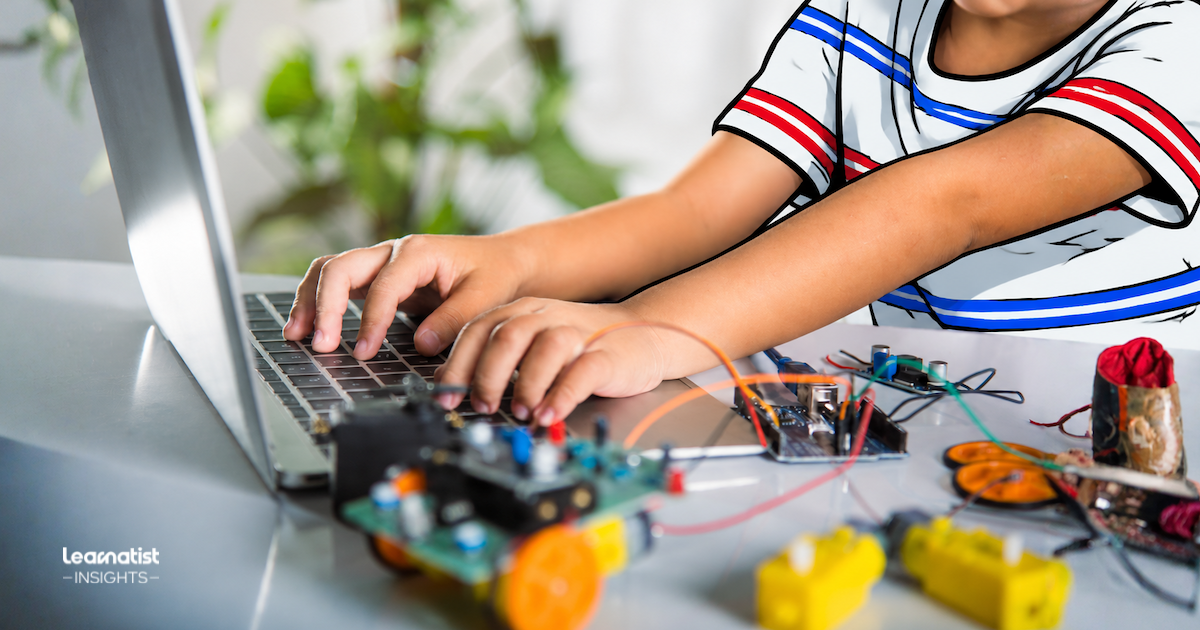
Coding and robotics classes for kids in NYC can look very different from one program to another. Some focus on games or animation. Others combine programming with robots, electronics, or hands-on engineering. The right starting point depends less on finding a universal “best” class. It depends more on what your child wants to create, how they like to learn, and what fits your family’s routine.
This guide will help you compare programs by age, experience, curriculum, projects, teaching style, instructor support, progression, schedule, cost, and NYC logistics. You’ll also find questions to ask providers before enrolling. These questions can help you set clearer expectations and confirm current details directly.
Quick Answer: Coding and Robotics Classes for Kids in NYC
When comparing coding and robotics classes for kids in NYC, start with your child’s interests and experience level. Then look at what students create, how the class is taught, the support available, and whether there is a clear path forward.
Key points to compare:
- Your child’s interests: Do they want to make games, build robots, explore electronics, create animations, or combine coding with hands-on projects?
- Age and experience level: Is the class designed for beginners, experienced students, or a specific age group?
- Curriculum and projects: What will students learn, build, troubleshoot, and create?
- Teaching approach: Is the program project-based, structured, exploratory, collaborative, or competition-focused?
- Instructor support: How much guidance, feedback, and help with problem-solving will students receive?
- Progression: Is there a clear next step after the introductory class?
- Practical fit: Compare location, commute, schedule, program length, cost, equipment needs, and prerequisites.
- Current provider details: Confirm availability, pricing, policies, and program requirements directly with the provider before enrolling.
What is the difference between coding classes and robotics classes?
Coding classes focus mainly on creating instructions that a computer can follow. Robotics classes add a physical component, such as building, sensors, motors, electronics, or machines. Many programs combine both, so the distinction is not always strict.
A coding class might involve creating a game, animation, website, or simple program. A robotics class might ask students to program a robot to move, respond to sensors, or complete a challenge. Some STEM programs blend coding, engineering, and hands-on building in the same project.
For parents, the more useful question is often what your child wants to make and how they enjoy learning.
| If your child is interested in… | You may want to explore… |
|---|---|
| Games, animation, or digital projects | Coding classes |
| Building and controlling physical objects | Robotics classes |
| Circuits, sensors, or devices | Electronics or maker programs |
| Both programming and hands-on construction | Integrated robotics or STEM programs |
NYC Public Schools describes computer science learning broadly. It includes coding, problem-solving, creativity, collaboration, and physical models in some settings.
Program labels alone may not tell parents exactly what a class will involve. When comparing options, read the curriculum and project descriptions carefully. Two programs labeled “coding” or “robotics” can still offer very different learning experiences.
How should your child’s age, interests, and experience shape the choice?
Start with your child’s interests, current experience, and the kinds of projects they want to create. An advertised age range can narrow the options. It does not tell you whether the content or teaching approach will be a good fit.
A beginner who enjoys stories and games may respond well to visual, block-based coding. A child who likes building may prefer robotics, electronics, or maker projects. A more experienced learner may want greater independence or more complex challenges. They may also want opportunities to move into text-based programming.
The Scratch Foundation encourages learning connected to young people’s interests. Its resources also support different pathways for different experience levels and room to experiment, create, and revise.
When comparing programs, consider:
- Interests: What does your child want to make, explore, or understand?
- Starting point: Is the program appropriate for a true beginner, or does it assume previous experience?
- Project style: Does your child prefer digital creation, physical building, structured challenges, or open-ended projects?
- Level of independence: Will students follow detailed instructions, make more of their own decisions, or do a mix of both?
- Room to grow: Can the program offer more challenging projects as skills develop?
- Prerequisites: Does the provider require specific skills, prior classes, devices, or accounts?
Age still matters because programs may use tools designed for particular developmental stages. But children of the same age do not need to follow the same path. Consider age together with interests, readiness, and prior experience.
The goal is not to find the most advanced class available. Look for a program where your child understands the starting point, stays engaged, and can build new skills.
What should parents look for in the curriculum and projects?
Look beyond the software, robot, or programming language named in the course description. A stronger comparison starts with what students will understand, create, test, and improve.
Two classes may use the same platform, such as Scratch, Python, or LEGO robotics. Yet one may focus on following instructions. Another may offer more opportunities to make decisions, solve problems, and develop original projects.
When reviewing a curriculum, ask:
- What will students create? Look for specific projects rather than a list of tools alone.
- What concepts will they learn? Examples may include sequencing, loops, variables, sensors, debugging, or design principles.
- Will students troubleshoot problems? Coding and robotics often involve testing, finding errors, and trying again.
- How much choice do students have? Some children enjoy open-ended projects, while others prefer structured challenges.
- Will students explain their thinking? Presenting or discussing a project can show whether they understand how it works.
- Do projects become more challenging over time? Look for evidence that students build on earlier skills instead of repeating similar activities.
The Scratch Foundation describes creative coding as a process that includes breaking problems into smaller parts, debugging, and iterating. It also encourages experimentation and different pathways for learners.
That does not mean every coding or robotics program should follow the same teaching model. Instead, use the curriculum and project descriptions to understand what students will do. Then consider whether that approach matches what you want your child to gain.
How much do teaching style, class size, and instructor support matter?
Teaching style and instructor support matter. They shape how easily a child can ask questions, work through problems, and stay engaged. Class size can affect that experience too. However, there is no single ideal number for every program.
When comparing classes, focus on how instruction works:
- How are new concepts introduced? Does the instructor demonstrate first, explain as students work, or use another approach?
- How much individual feedback is available? Can students get help when they are stuck?
- How is problem-solving supported? Are students encouraged to troubleshoot and think through errors, or are answers given immediately?
- Is the work individual, collaborative, or both? Different formats may suit different learners and projects.
- How much structure is provided? Some programs use detailed step-by-step activities, while others allow more independent choices.
- How are different experience levels handled? Ask whether instructors can support beginners and challenge students who move faster.
Rather than relying on class size alone, ask what the number means in practice. A smaller group does not automatically guarantee more individual attention. A larger class does not necessarily mean less support.
If instructor experience or qualifications matter, ask the provider about the current teaching team. Learnatist does not treat a listing, rating, or Verified status as proof of instructor qualifications or program quality.
The useful comparison is whether the teaching setup provides enough explanation and feedback. Your child should also have room to solve problems at an appropriate level.
How can parents tell whether a program offers room to progress?
Ask what happens after the introductory class. A useful progression path should build on earlier skills and increase independence. It should also introduce more complex problems rather than simply switch to a different tool.
When comparing programs, look for:
- Clear next levels: Does the provider explain what students can take after the current class?
- Increasing complexity: Do projects become more challenging as students gain experience?
- More independence: Are students expected to make more decisions, troubleshoot, and design their own solutions over time?
- Concept progression: Do later classes build on earlier ideas such as sequencing, loops, variables, sensors, debugging, or design?
- Different pathways: Can students move toward game design, robotics, electronics, AI, or text-based programming when appropriate?
- Appropriate challenge: Can a student keep developing without being pushed into material they are not ready for?
The Computer Science Teachers Association describes its K–12 standards as learning objectives for coherent computer science curricula. This supports the general idea that learning should build over time. It does not mean every provider follows the same sequence or aligns with those standards.
For beginners, progression might mean moving from guided projects toward more independent work. For some students, it may later include text-based programming. For others, the next step may be advanced robotics, electronics, or design challenges.
Ask how the program develops skills over time. Then consider whether the next level fits your child’s interests and current experience.
Which NYC logistics should families compare before enrolling?
A program may look appealing academically, but it still needs to fit your family’s schedule, commute, and budget. In NYC, practical details can affect whether a class is sustainable week after week.
Compare factors such as:
- Location and commute: How long will it take to get there after school or on weekends?
- Schedule: Does the class time work with school, homework, meals, and other activities?
- Program length: Is it a single workshop, short series, semester, camp, or ongoing class?
- In-person or online format: Which option works better for your child and family routine?
- Cost: What is the full price, and are there fees for materials, software, devices, or registration?
- Equipment requirements: Does your child need to bring a laptop, tablet, robotics kit, or another device?
- Attendance policies: Are make-up classes available if your child misses a session?
- Trial options: Can your child try an introductory class or short workshop before making a longer commitment?
- Travel timing: Could rush-hour traffic or public transit make the stated schedule harder in practice?
These details can be easy to overlook when comparing curriculum or technology. A class may fit your child’s interests but still strain your family’s routine. Consider the commute, timing, and total commitment together.
Provider prices, schedules, availability, equipment requirements, and policies can change. Confirm current details directly with the provider before enrolling.
What questions should you ask before choosing a coding or robotics program?
Before choosing a program, ask questions that reveal its goals, teaching approach, and family commitments. This helps you compare programs on substance rather than titles, technology brands, or marketing language.
Use questions such as:
- Who is the class designed for? Ask about the intended age range, experience level, and prerequisites.
- What will students create? Look for specific projects, not just a list of tools or platforms.
- Which concepts will they learn? Ask how the class develops coding, problem-solving, design, robotics, electronics, or related skills.
- How is the class taught? Find out whether instruction is structured, project-based, collaborative, exploratory, or a mix.
- How much instructor support is available? Ask how students get help when they are stuck or need more challenge.
- What comes next? Check whether there is a clear progression path after the class.
- What technology is required? Confirm whether students need a device, software, account, robotics kit, or other equipment.
- What is the full commitment? Ask about schedule, program length, attendance expectations, make-up policies, and total cost.
- Are there trial or introductory options? A shorter experience can help families understand the format before making a longer commitment.
- How are learning or accessibility needs handled? If this matters for your child, ask about current accommodations and support.
If you compare several options, use the same core questions for each provider. This makes differences easier to spot. It also reduces the chance of overvaluing one attractive feature while missing another important factor.
Learnatist can help families discover and compare program information. Confirm provider details such as schedules, pricing, qualifications, availability, and accommodations directly before enrolling.
What are Learnatist families asking about coding and robotics classes for Kids in NYC?
Learnatist’s Q&A section includes community discussions that can help parents think through related questions before choosing a coding or robotics program.
| Learnatist Q&A question | What community members suggest |
|---|---|
| What should an AI-for-kids class teach an 11-year-old before asking them to create a chatbot account or upload their own schoolwork? | This raises questions about what children should understand before using AI tools. It also connects AI classes with broader coding and robotics learning. |
| How can you tell whether an electronics class for an 8-year-old teaches them to understand circuits rather than just follow a kit? | This connects with the curriculum question in this guide. What is the child actually learning beyond completing a set of instructions? |
These discussions are community content, not professional recommendations or Learnatist endorsements. Use them as prompts for further research. Confirm program-specific details directly with providers.
Final Thoughts
Comparing coding and robotics classes for kids in NYC is easier when you focus on fit rather than labels. Start with your child’s interests and experience. Then compare curriculum, projects, teaching approach, instructor support, progression, schedule, location, and cost.
The goal is not to find a universal “best” program. It is to understand which option matches what your child wants to learn. It should also fit what your family can realistically support.
You can use Learnatist to explore STEM, Coding & Robotics options in NYC. Then confirm current schedules, pricing, prerequisites, availability, and other details directly with each provider before enrolling.
Frequently Asked Questions
- What age should kids start coding or robotics classes?
- There is no single right age to start. Some programs use visual tools or hands-on building for young beginners. Others expect more reading, typing, or prior experience. Compare the provider’s age range with your child’s interests, readiness, and experience.
- Should a beginner start with coding or robotics?
- Either coding or robotics can work for a beginner. Coding may appeal to children who enjoy games, animation, or digital projects. Robotics may appeal to children who like building, machines, and hands-on problem-solving. Some programs combine both.
- Is Scratch a good starting point for learning to code?
- Scratch can be a useful starting point for many beginners. It uses visual blocks instead of requiring students to type programming syntax. The Scratch Foundation’s creative learning resources also emphasize creative, project-based learning and experimentation.
- Do children need their own computer for coding or robotics classes?
- It depends on the program. Some providers supply devices or equipment. Others may require a laptop, account, software installation, or materials. Confirm the current requirements directly before enrolling.
- How can I compare coding and robotics programs in NYC?
- Use the same criteria for each option. Compare interests and experience, curriculum, projects, teaching approach, instructor support, progression, schedule, location, total cost, and equipment needs. Then confirm current details with each provider so you can compare programs consistently.